
What is a Microsoft Teams Room? A Guide for Businesses
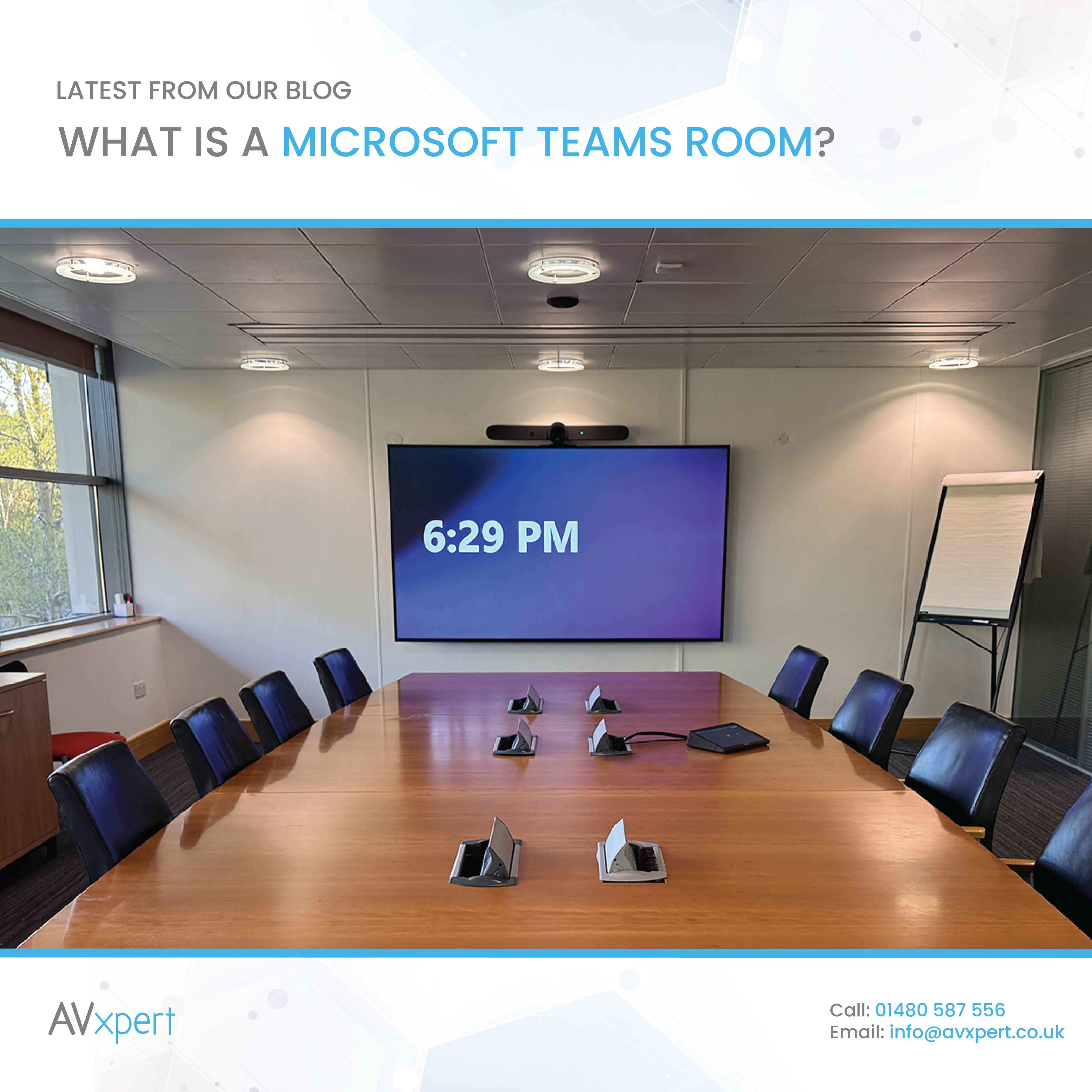
Microsoft Teams has become a familiar part of day-to-day communication for many businesses. However, using Teams effectively in a meeting room requires the right technology and a dedicated setup to serve remote participants well. Microsoft Teams Rooms are designed to bring the Teams experience into physical meeting spaces, providing a dedicated setup for meetings and collaboration.
In this blog, we will look at what Microsoft Teams Rooms are, how they work, and the benefits they can offer your business.
What Is a Microsoft Teams Room?
Microsoft Teams Rooms is a meeting room system that makes it easy to use Microsoft Teams in your office. Rather than relying on participants to bring and connect their own laptops and peripherals, the room runs Microsoft Teams natively on dedicated, certified devices - meaning Microsoft has approved the hardware to work reliably with Teams Rooms software. Teams meetings can be joined with a single touch of the dedicated room console, making it simple to start and manage calls.
For a prospect considering a huddle room or medium-sized meeting room, a compact video bar - an all-in-one camera, microphone and speaker in a single device - offers simplicity and speed of setup. For example, video bars such as the Logitech Rally Bar Mini are ideal for spaces seating up to around 12 people.
A Teams Room typically includes a display (or multiple displays), a camera, microphones, speakers and a dedicated touch console. These work together to provide a consistent way to join meetings and communicate with remote participants.
Microsoft offers two licensing tiers for Teams Rooms. Teams Rooms Basic is free for the first 25 rooms in your organisation, and Teams Rooms Pro adds centralised management and intelligent features such as intelligent audio, speaker tracking and transcription, priced at approximately £30 per room per month. The choice between the two often depends on whether you need to manage many rooms centrally (Pro) or are deploying a small number of standalone systems (Basic).
For larger deployments across multiple rooms, many organisations choose Teams Rooms Pro for centralised management and monitoring across their entire estate.
What is the Difference Between Microsoft Teams and Microsoft Teams Rooms?
Microsoft Teams is a communication and collaboration software that runs on individual laptops, phones and tablets. It allows people to chat, make calls, join meetings and share files using their own devices, whether they are in the office, at home, or anywhere else.
A Microsoft Teams Room is a dedicated meeting room system that brings Microsoft Teams into a physical meeting space. It combines Teams software with certified hardware to create a meeting room that is ready to use.
In summary, Microsoft Teams is the communication platform, while a Microsoft Teams Room is a dedicated meeting room system that brings Teams into a physical space with hardware and controls built in.
How Does a Microsoft Teams Room Work?
When a meeting is scheduled through Microsoft Teams, users can join using the dedicated touch console on the wall or table. The console provides access to meeting controls such as starting or joining a call, muting microphones, adjusting volume and managing participant settings.
The camera and microphones allow remote participants to see and hear people in the room, while the room’s speakers and display make it easier for those in the room to follow the conversation.
The result is a meeting room that is ready to use, without requiring users to set up separate equipment every time.
Larger or more complex spaces such as boardrooms, and town hall meeting spaces are also well suited to be Microsoft Teams Rooms led, although we would often recommend additional connectivity options in these spaces, such as Bring Your Own Device. Larger spaces may additionally benefit from a custom control system, that can manage and control the entire AV infrastructure in the room, in addition to the Teams meeting controls.
What are the Benefits of Microsoft Teams Rooms?
Simple Meeting Experience
One of the main benefits of a Teams Room is simplicity. Participants can walk into a meeting room and join a Teams meeting with minimal setup.
Clearer Communication with Remote Participants
A well-designed Teams Room helps remote attendees engage equally in the meeting. High-quality cameras, microphones and speakers allow participants to see and hear one another clearly - whether in the office or joining from elsewhere - reducing the experience gap between in-room and remote attendees.
A Consistent Experience Across Your Business
For businesses with multiple meeting rooms, a consistent Teams Rooms setup across all spaces reduces confusion for employees moving from one room to another. Familiar controls and a standardised layout mean people do not have to relearn the system each time, which is especially valuable in larger organisations where meeting room use varies.
Our guide to meeting room AV solutions explores how to plan and scale these deployments across your business.
This consistency was a key benefit our team identified when upgrading meeting spaces across a multi-building healthcare and research facility; the staff found that a single familiar interface speeded adoption.
Choosing the Right Microsoft Teams Room for Your Business
Several Microsoft-certified hardware vendors offer Teams Rooms solutions. Logitech, Poly, Yealink, Neat, Lenovo, Cisco and Barco are among the most common partners, each offering a range from simple video bars (an all-in-one camera, microphone and speaker in a single device) for small huddle spaces, to advanced systems with multiple displays and microphones for large boardrooms. Room size, layout and how the space is used all shape which system will perform best. A small huddle room for ad-hoc meetings might use a compact video bar and a single display; a larger boardroom might add extra microphones, a larger display, or multiple screens to capture more of the room.
For organisations seeking maximum flexibility in room design, the Barco ClickShare Hub offers a modular approach that supports Microsoft Teams Rooms as its primary function while enabling wireless BYOD and content sharing, letting you select each peripheral to suit your space from small huddle rooms to large boardrooms.
Alternatively, the Logitech Room Solution bundle combines a compute unit, touch console and Logitech Rally Bar for a complete small-to-medium-room package; larger spaces can benefit from dedicated network cameras and ceiling-mounted beamforming microphone arrays. We have deployed Logitech Rally Bars in huddle and small meeting rooms, and larger Teams Rooms with Philips displays, multiple cameras and professional beamforming microphone arrays in boardrooms seating 20 or more participants.
The room layout, acoustic properties (echo, hard surfaces, carpet), the number of regular users, and the way the room is lit all affect how well a Teams Rooms system will perform. During design, our team considers the room's acoustic properties, layout and lighting to recommend microphone placement (ceiling-mounted arrays work well in larger rooms, while table-mounted pods suit smaller spaces), camera sightlines, and speaker position for clear coverage. The right choices depend on your specific room and how it is used.
At AV Xpert, we specialise in designing and installing Microsoft Teams Rooms tailored to your space. We advise on the hardware that fits your room size and use, handle the full installation, and provide technical support after go-live - including a 1-year onsite callout warranty as standard. Visit our meeting room AV solutions page, or contact us today to discuss your Teams Rooms project.